
Competitor Pricing Intelligence for Pricing Managers
Turn competitor price data into pricing rules that follow your strategy and protect your margins, across every product you manage.



How can pricing managers use Prisync?
Pricing managers use Prisync to collect competitor prices and stock data automatically, then turn them into pricing rules. They decide where each product should sit against the market, set minimum prices or profit margins, review price suggestions and apply them through Shopify, the Magento extension or the API.
From competitor data to pricing decisions
Price suggestions that follow your strategy
Set rules such as cheapest, cheaper than average or average, by absolute value or percentage. Prisync calculates a suggested price for each product based on competitor prices.
Never price below your limits
Define product costs and set a minimum price or profit margin, so suggestions stay within your limits when competitors cut prices.
Specific rules first, general rules last
Rules apply from specific products to collections, brands, categories and finally all products, so exceptions never get lost.
Analyse how the market reacts
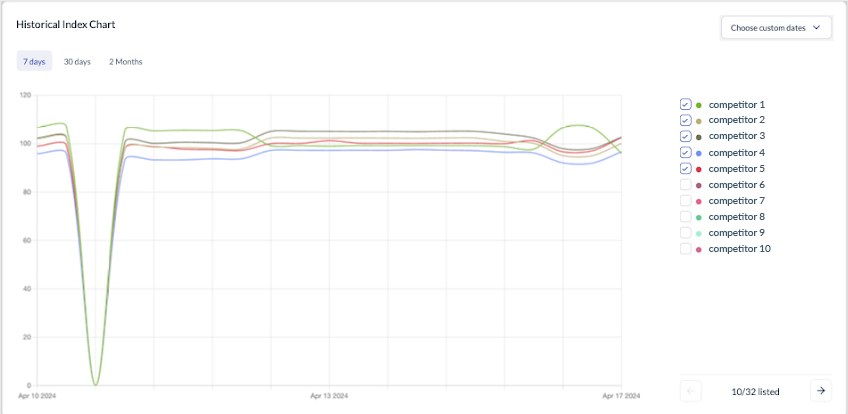
Price history shows how competitors respond over time, so you can test and adjust your strategy with data.
Bring the data into your own models
Export prices to Excel or pull data and price suggestions through the API into your BI tools and pricing models.
Build your first pricing rule in minutes
Import your products, add competitors and set a rule. Prisync shows the suggested price for every product before you apply it.
Every competitor price behind every suggestion
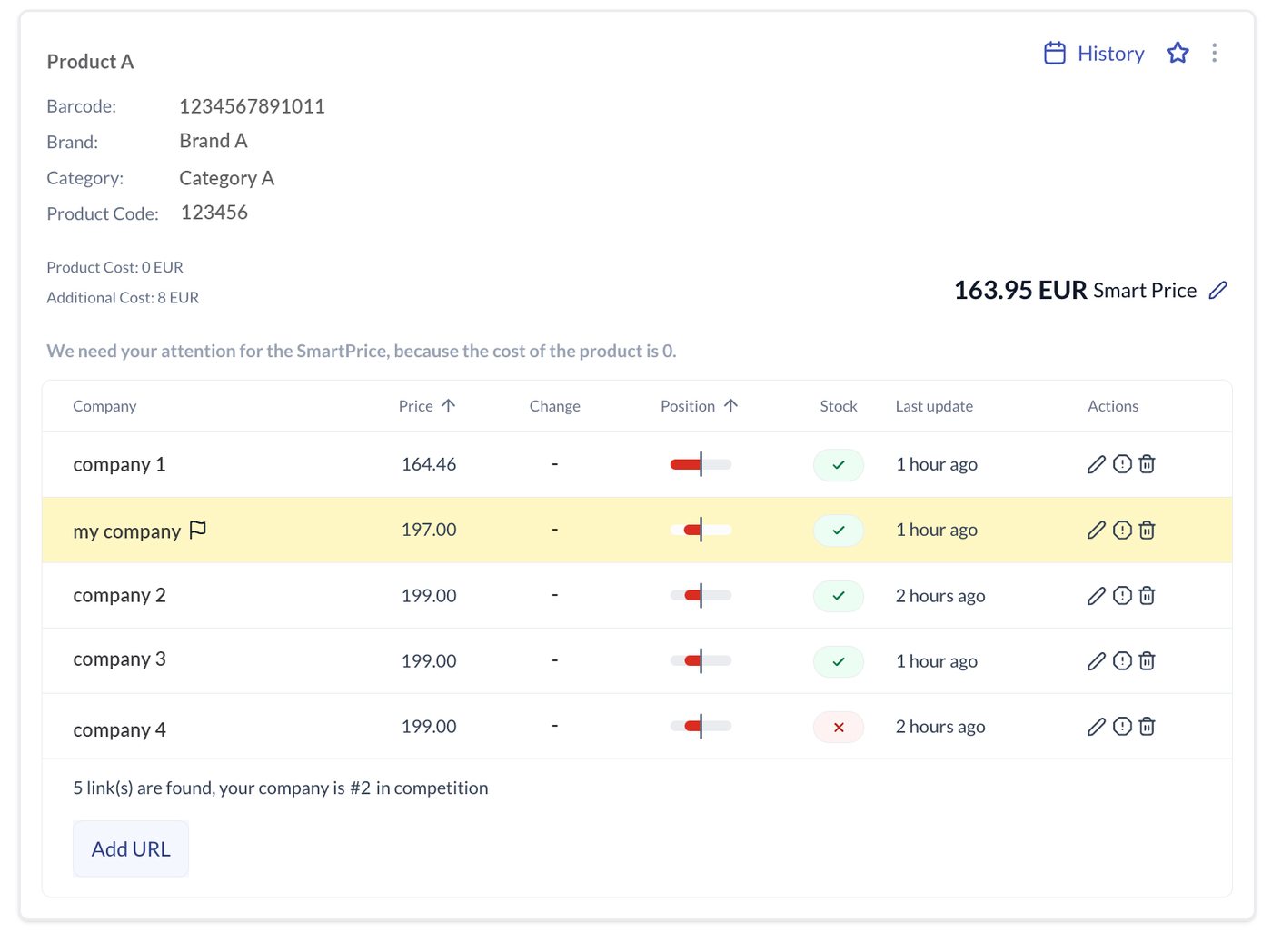
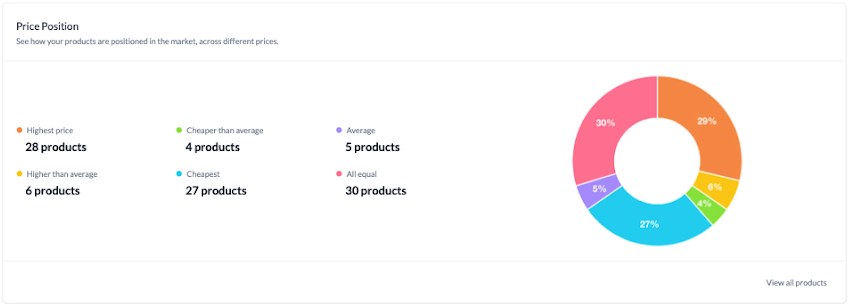
Open any product to see competitor prices, positions, stock and the suggested price side by side.
- Rule types from cheapest to most expensive, by value or percentage
- Minimum price and margin limits on every rule
- Shopify, Magento and API options to apply prices
We have been using Prisync since August 2014 to monitor market prices, which have enabled us to come up with a dynamic pricing model, where we always match the price level of our competitors.
What our customers say
“As a Prisync user since 2019, I can say that it has improved our pricing strategy. Dynamic pricing has allowed us to stay competitive and maximize profits by adjusting prices in real-time based on competitors positioning.”KidzSportRomaniaRead full review →★★★★★ Shopify App Store
“Prisync is flexible enough to handle advanced pricing logic and custom setups, allowing us to maintain competitive market leadership while fully protecting our profit margins.”VeteriAustriaRead full review →★★★★★ Shopify App Store
“We are very happy with Prisync, this tool is an integral part of our business where the pricing is directly related to our sales.”KolayOtoTürkiyeRead full review →
Frequently asked questions
How do pricing managers use Prisync?
They use Prisync to collect competitor prices automatically, set pricing rules that position products against the market, protect margins with minimum price limits and apply price suggestions to their store.
What kind of pricing rules can I set?
You can price products as the cheapest, cheaper than average, average, more expensive than average or the most expensive, using absolute values or percentages, for products, collections, brands, categories or the whole catalog.
Can Prisync stop prices from going below my cost?
Yes. Once you define product costs, you can set a minimum price or profit margin, and suggestions will respect these limits.
Can I apply price suggestions automatically?
Shopify users can apply suggestions automatically. Other platforms can use the Magento extension or the API to apply prices.
How is this different from what a category manager does with Prisync?
Pricing managers own the pricing rules, margin limits and price updates. Category managers use the same data to manage the competitiveness and assortment of a whole category.
Related use cases
Price with rules, not guesswork
Start building pricing rules on live competitor data.